
- How the Technology Changed
- The Three Levels of Lab Automation
- The Key Components of an Automated Lab
- Why Lab Automation Matters: The Business and Science Case
- Emerging Trends in 2026: The Smart Lab
- Common Challenges and Barriers to Entry
- How to Start Your Automation Journey
- The Bottom Line: Where Lab Automation Stands in 2026
- Frequently Asked Questions
Lab automation means using robots, software, and AI to do experimental work you used to do by hand—handling samples, dispensing liquids, running assays, capturing data, and coordinating the instruments that do all of it.
What’s changed in 2026 is the scope. Automation used to replace one manual step at a time. Now it can run a full sequence of steps end-to-end, with the machines coordinating the handoffs between them. For more info, check out our review of the best lab automation software.
And because that sequence runs the same way every time, automation also fixes a problem manual work has always had: reproducibility. Around 70% of scientists have failed to reproduce another researcher’s experiment, and more than half have failed to reproduce their own.
This article answers “what is lab automation?” in plain terms. You’ll also learn:
- The key components of an automated lab
- The business and science case behind automation
- Automation trends in 2026
- The main barriers to automating your lab
- How to get started
Before we continue, subscribe to our newsletter. Every week, we send a curated list of the most useful resources, tools, and reads from across the lab tech world. Enter your email below to subscribe.
How the Technology Changed
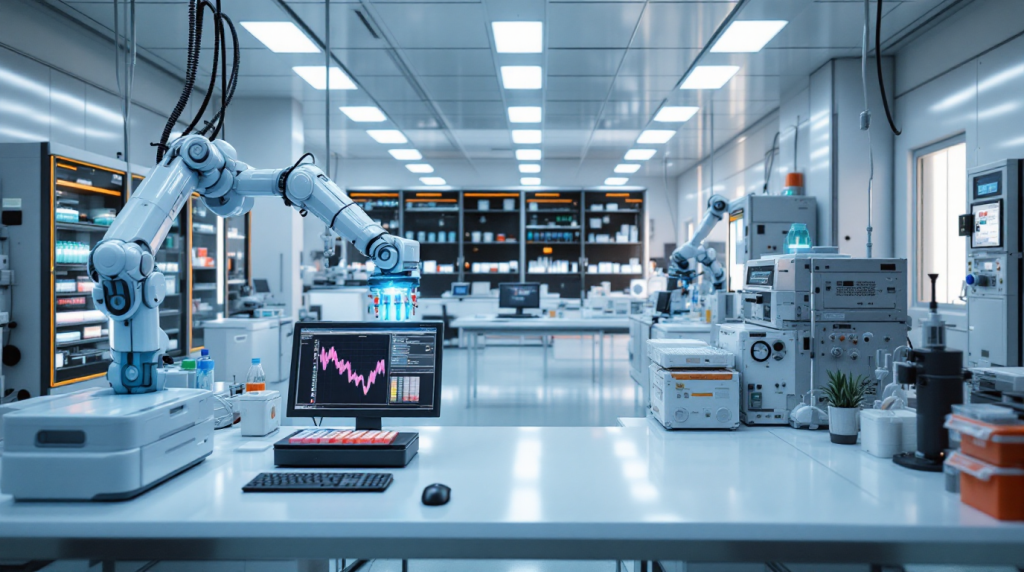
Older lab automation was built around big, central robotic systems. They were expensive, hard to move, and built for one purpose: running huge volumes of the same task. They worked well for that, but they were difficult to scale up or change when your experiments changed.
The newer approach uses smaller pieces that connect together and can be reconfigured as needed:
- Small robotic workcells
- Smart liquid-handling modules
- Software that schedules and coordinates the work
- Instruments connected through the cloud
Because the pieces are separate, you can add automation a bit at a time, change how a workflow runs without rebuilding everything, and connect equipment from different vendors into one working system.
The point: Help scientists, don’t replace them
The goal isn’t to remove scientists. It’s to take the repetitive physical and mental work off your plate.
When routine tasks are handled automatically, you get time back for the work that actually needs you, such as designing experiments and forming hypotheses, analyzing and interpreting data, and deciding where the research should go next.
For example, a study by Darvish et al. found that automating chemistry experiments with a robotic system reduced physical demand by over 50%, with users saving an average of 80.3% of their time.
The Three Levels of Lab Automation
There are three levels of lab automation: automating single tasks, connecting instruments into workcells, and running the whole lab as one system. Most labs sit somewhere along this path. Knowing where you are tells you what to do next, whether that’s buying your first automated pipette or wiring up an end-to-end pipeline.

Level 1. Task automation: One job, one machine
At Level 1, each automated tool does one job. An automated pipette handles liquid transfers. A plate washer preps assays. A centrifuge runs its spin protocol. But they don’t talk to each other.
Between steps, you still move samples by hand, track what’s done, and copy data from one instrument to the next. The time saved on each task is real, but it stays trapped in that task. You don’t get the bigger gain of a workflow that runs itself.
You’re at Level 1 if: Your instruments work in isolation and a person is the link between them.
What to do next: Pick the two or three tasks that eat the most bench time and look at whether a connected workcell would link them.
Level 2. Workcells: Instruments that talk to each other
At Level 2, you link several instruments into a small cluster that runs as one unit called a workcell. A robotic arm moves plates between an incubator, a liquid handler, and a plate reader. Software schedules the steps, routes samples, and handles errors when something goes wrong.
A workcell typically includes:
- Robotic arms or conveyors for sample transfer
- Automated liquid handlers integrated into assay pipelines
- Central software coordinating scheduling and routing
Samples now move between instruments without a person carrying them. Throughput goes up, and the variation that creeps in from human handling drops.
The central software piece matters more than people expect. Without an orchestration layer—platforms like Biosero Green Button Go, HighRes Cellario, Cenevo, or Retisoft Genera—the workcell is just instruments sitting next to each other.
You’re at Level 2 if: A connected group of instruments runs assays end-to-end with minimal handoff, but other parts of the lab still operate on their own.
What to do next: Audit how well your workcells share data with the rest of your lab’s systems before adding more hardware.
Level 3. Total lab automation: One system, end to end
At Level 3, the whole lab runs as one connected system. This is what the industry calls Total Lab Automation, or TLA. A sample arrives, gets logged, moves through every step of its lifecycle, and produces a result… without a person carrying it between instruments.
What that looks like in practice:
- Samples are received and registered automatically
- Robotic storage and retrieval (no manual racking)
- Instruments connected with no manual transfer points between them
- Software running every workflow decision
- Data captured and analyzed as the work happens
Your staff aren’t running the lab anymore. They’re supervising it, watching for exceptions, handling the cases the software can’t, and doing the scientific interpretation.
You’re at Level 3 if: A sample can go from intake to result without human handling.
What to do next: TLA is rare outside high-volume clinical and industrial QC settings. But the published case studies show real returns.
For example, a multicenter microbiology study (Culbreath et al., 2021) documented substantial labor savings and reduced cost per specimen across four labs. Specifically, annual labor cost savings/avoidance between ~$268,000 and ~$1.2 million.
And a tertiary hospital in Korea (Kim et al., 2022) ran a full economic evaluation including payback period, and found that the capital investment for TLA adoption is considered to be worthwhile, despite high up front costs. Staff safety was the most cost-effective performance indicator, improving by 77.6%.
Summary of the three levels
- Level 1 automates single tasks.
- Level 2 connects instruments into workcells.
- Level 3 runs the whole lab as one system.
The question isn’t whether you automate. It’s how far along this path you need to be for the work you do.
The Key Components of an Automated Lab
An automated lab is built from four kinds of components: liquid handlers that move reagents, robots that move samples, sensors that monitor conditions, and orchestration software that runs the whole show. The thing that turns them into an automated lab, rather than four separate purchases, is the software layer connecting them. Let’s look at each of these in turn.

1. Liquid handlers (the reagent movers)
Liquid handlers are robotic pipetting platforms that move precise volumes of liquid between containers. They handle the work that used to mean an afternoon at the bench with a manual pipette.
What they do:
- Pipette and dispense reagents at microliter and nanoliter scales
- Set up serial dilutions and assay plates
- Prepare samples for high-throughput screening
- Run the same protocol the same way every time
Most labs start their automation journey here, and there’s a reason: liquid handling is one of the bench tasks that eats the most hours and creates the most variability. Named platforms you’ll encounter include the Tecan Fluent, Hamilton STAR and Vantage, Beckman Coulter Biomek series, and SPT Labtech apricot for higher-throughput work.
2. Robotic transport (the sample movers)
Robotic transport systems physically move plates, samples, and consumables between instruments. Without them, a lab with five automated machines still needs a person to carry plates from one to the next.
Two kinds dominate:
- Cobots (collaborative robots): Stationary robotic arms that work near humans without safety cages. Brands like Universal Robots and Kuka iiwa are common.
- Autonomous mobile robots (AMRs): Wheeled units that drive themselves around the lab floor, ferrying samples between workcells. Mobile manipulator platforms like the KUKA KMR iiwa or various lab-specific AMRs handle this.
What they enable:
- Moving samples between instruments and storage
- Delivering plates to readers, incubators, or analyzers
- Reducing the manual handling that causes contamination and mix-ups
The practical payoff: you don’t have to cluster all your automated instruments in one corner of the lab. With robotic transport in place, an incubator can sit ten meters from the plate reader and the workflow still runs.
3. Sensors and connected devices (the monitoring layer)
A network of sensors continuously tracks what’s happening in the lab and feeds that data into a central system. But the point isn’t just monitoring for monitoring’s sake, it’s catching problems before they ruin your experiment.
What gets monitored:
- Temperature and humidity in storage and incubators
- Instrument status and calibration health
- Vibration, airflow, and contamination risk
- Sample location and chain of custody
When a freezer drifts out of spec at 2am, the system catches it and pages someone. When an instrument’s calibration is about to slip, the system flags it before your next batch comes back wrong. This is also what makes predictive maintenance possible: replacing parts before they fail, rather than after.
4. Orchestration software (what actually runs your lab)
Orchestration software is the layer that schedules tasks, coordinates instruments, and handles errors. It’s the difference between a lab that owns a lot of automated equipment and a lab that’s actually automated.
What it does:
- Schedules tasks across instruments and robots
- Manages dependencies (this step has to finish before that step starts)
- Connects your LIMS to physical devices
- Routes data from instruments into analysis pipelines
- Handles exceptions when something goes wrong—an instrument errors out, a sample is missing, etc.
Named platforms in this space include Biosero Green Button Go, HighRes Cellario, Cenevo, Retisoft Genera, and Thermo Fisher’s Momentum.
Without an orchestration layer, your hardware is a collection of expensive boxes that need a human to glue them together. With it, the lab runs itself.
The bottom line
- Liquid handlers move reagents
- Robotic transport moves samples
- Sensors monitor conditions
- Orchestration software ties it all together
Often, hardware gets the attention because it’s the visible part. But the orchestration software is what determines whether you have an automated lab or just a lab with a lot of machines in it.
Why Lab Automation Matters: The Business and Science Case
Automation matters for four concrete reasons: it makes results more reproducible, lets you run far more samples, keeps people away from dangerous materials, and lowers cost per result over time. The reproducibility gain is the one most labs underrate… and the one that’s hardest to claw back once a study’s results won’t replicate. Don’t make the same mistake!
Reproducibility — same result, every run
The biggest problem automation solves is human variability. Small differences in technique, timing, or measurement add up, and they’re a major reason experiments don’t replicate.
Automation removes that variability by running every cycle the same way:
- The protocol runs identically each time
- Volumes, timing, and conditions stay constant
- Data is captured and timestamped automatically, not transcribed later
This matters most in drug discovery, genomics, and diagnostics, where the same result has to hold across many runs and multiple sites. A protocol that drifts because three different technicians ran it three slightly different ways is a protocol that won’t survive an audit or a replication attempt by another lab.
Throughput — from hundreds of samples to tens of thousands
Manual workflows are capped by how many hours people can work. Automated systems aren’t, so the scale of what you can run changes completely. A full-scale ultra-high-throughput screening platform can exceed 100,000 compounds a day—a number no manual team could approach.
What that looks like in practice:
- Screening 100,000+ compounds or samples a day on a full-scale system
- Running overnight and through weekends with no one at the bench
- Adding capacity by adding instruments, not headcount
Safety — keeping people away from dangerous materials
Automation lets you hand the riskiest tasks to a machine. In high-containment settings, such as Biosafety Level 3 (BSL-3) labs, or work with toxic chemicals and radioactive materials, robotic and enclosed systems mean a person isn’t directly handling the hazard.
The safety payoffs:
- Less direct contact with infectious or toxic agents
- Hazardous steps contained inside sealed systems
- Lower risk of accidental exposure or spills
- Easier compliance with safety regulations
This isn’t only about worker protection, though that’s the main benefit. Fewer human touchpoints also means fewer contamination events, which protects the samples as much as the staff.
Cost — where the money actually comes back
Automation costs a lot up front. The return shows up over time, in four places:
- Reagents and consumables: Precise dispensing wastes less of the expensive stuff. Reagents are often the biggest recurring line item in a lab budget, so this adds up faster than people expect.
- Labor: Staff stop spending hours on repetitive tasks.
- Instrument use: Scheduling software keeps expensive machines running closer to capacity instead of sitting idle.
- Walk-away time: People do higher-value work while the machines run.
Now, to be honest, these savings compound at scale, but they don’t rescue a low-volume lab from a high-volume system’s price tag.
The clinical TLA studies we cited earlier (Culbreath et al., Kim et al.) show real returns precisely because those labs run enormous test volumes. In other words, match the system to your throughput, or the math doesn’t work.
Emerging Trends in 2026: The Smart Lab
Three trends are reshaping lab automation in 2026: AI that redesigns experiments based on the last run’s results, modular hardware you can rearrange in hours instead of months, and digital twins that let you test a workflow in software before running it for real. All three share a theme—the lab stops being a fixed setup you operate and starts being a system that adapts.
AI-driven design
Traditional automation runs a protocol you wrote. The newer approach runs a loop: the system analyzes each run’s results and adjusts the next run automatically.
How a self-optimizing loop works:
- Run A produces data
- An AI model analyzes it, spotting patterns and inefficiencies
- Run B is reconfigured automatically to improve yield, accuracy, or hit rate
The clearest real example is the “self-driving lab.” Carnegie Mellon’s Coscientist and the A-Lab at Lawrence Berkeley National Laboratory have both run autonomous campaigns where the system designs, runs, and interprets experiments with little human input.
The A-Lab famously synthesized a batch of new inorganic compounds over about two and a half weeks of autonomous operation. This is real, but to be clear, these are still mostly research showcases in materials science and chemistry, not something most labs are running day-to-day. If your work involves large search spaces, drug candidates, synthesis conditions, media formulations, then keep an eye on this trend.
Plug-and-play infrastructure
Lab automation is moving away from bolted-down, permanent installations toward modular units you can move and recombine. So instead of rebuilding when your research changes, you rearrange.
What that looks like:
- Mobile robotic units that can be repositioned in hours, not weeks
- Standardized hardware and software connections, so a new instrument plugs in without a custom integration project
- Workcells that can be repurposed for a different assay
- Layouts you can change as priorities shift
The practical win is avoiding the thing that makes labs dread automation: the six-figure, six-month integration project that locks you into one workflow.
The catch is that “plug-and-play” is still more aspiration than reality. Standards like SiLA 2 and ANSI/SLAS exist to make instruments interoperable, but real-world integration still involves more glue work than the brochures suggest. Ask any vendor promising “seamless” integration what it actually took at their last three installs.
Digital twins — testing the lab in software first
A digital twin is a virtual replica of your physical lab that you can run simulations on. Before you commit real samples and instrument time, you test the workflow in software. We talked about digital twins in our review of the 5 best lab workflow software tools of 2026. So check that out for more information.
What you can simulate:
- The full workflow, start to finish, before running it
- Robot movement paths, to catch collisions before they happen
- Instrument scheduling and queue bottlenecks
- Failure cases—crash-testing a workflow safely, where a mistake costs nothing
Done well, this cuts errors, downtime, and wasted reagents, because you find the problems in the model instead of in the lab.
Keep in mind that digital twins are not yet widespread in most labs in 2026. That’s why we’re calling it an “emerging trend”. But they are clearly moving from pilot projects into early operational use in research-intensive and instrument-heavy settings. For example, researchers at Berkeley Labs are already building and installing digital twins, while other institutions are committing to operational prototypes.
Common Challenges and Barriers to Entry
Three things stop most labs from automating: the cost of getting in, the skills gap on the team, and the fact that instruments from different vendors often can’t talk to each other. Technology isn’t the bottleneck in 2026. Integration, people, and money are.
Cost of entry
The biggest barrier is the price tag. A serious automation build, including robotics, orchestration software, and integrated instruments, runs from low six figures for a single workcell to seven figures and up for a full system. For a mid-size lab or an academic department, that’s a hard sell to a budget committee.
For example, a good planning range would be:
- Lean automation: about $150k–$500k.
- Serious integrated automation: about $500k–$2M.
- Highly complex, enterprise-grade lab automation: $2M+
But the purchase price is only part of it. You also pay for lab redesign and facility modifications, integration and validation work to get everything talking, ongoing maintenance, vendor support contracts, and training your team to actually use it.
And then there’s another problem: proving the return.
Stakeholders want clear evidence that automation will lift throughput, cut labor costs, or speed up discovery before they sign the check. Some of the biggest returns (reduced reproducibility failures, fewer audit findings, lower contamination rates) are real but hard to put a number on up front.
The skills gap
Automated labs need a skill set that didn’t exist on most CVs ten years ago. Your bench scientists need experimental expertise plus enough technical literacy to work with the systems running their experiments.
The new skills include understanding workflow logic and how scheduling systems make decisions, basic scripting, reading system logs and figuring out why a run failed, and designing experiments with automation constraints in mind (plate formats, transfer steps, instrument capabilities).
The cultural shift is bigger than the technical one. A scientist used to thinking experiment-by-experiment now has to think in workflows and systems. That’s a real change, and it creates a training burden most organizations underestimate.
Interoperability
Most labs run equipment from several vendors, each using its own software and data formats. When you try to connect them, you find out they were never designed to work together.
Problems include:
- Robots and instruments using proprietary communication protocols
- Data formats that vary between devices, so handoffs need translation
- Software platforms with no native cross-vendor coordination
The standards exist (SiLA 2 and ANSI/SLAS are the main ones), but adoption is patchy and the brochures oversell what they cover. So you have instruments in your lab that are technically connected but practically siloed.
How to Start Your Automation Journey
Start with three steps: automate the tasks that eat the most bench time, get your data infrastructure in shape before you add robots, and run a small pilot before committing to a full build. The most successful labs start small, build confidence through measurable wins, and then scale into fully integrated systems.

Step one: Automate where humans waste the most time
The right first target is a task that’s high-frequency, low-complexity, and eats a lot of skilled labor. This gives you an early win that builds confidence in the rest of the program.
For example:
- Tube labeling
- Sample tracking
- Basic serial dilutions
- Reagent prep
- Plate replication
- Simple assay setup
- Repetitive pipetting
Pick a task your bench scientists complain about. The work that frustrates them is usually the work that wastes their training. Automating it cuts error rates, frees them for experimental design and analysis, and gives the rest of the lab visible proof the program is working.
Step two: Get your data infrastructure in order
Most lab automation projects fail at the data layer, not the hardware layer. Robots generate enormous amounts of structured and unstructured data, and if your systems aren’t ready to handle it, you’ve bought yourself an expensive way to make a mess faster.
So before you scale automation, make sure:
- Your LIMS can ingest high-throughput data without choking
- Data pipelines can handle real-time output from instruments
- Your orchestration software can actually scale across the instruments you’re planning to add
- Data standards are set early so the formats don’t fragment as you add vendors
The order matters. Putting the digital backbone in before the hardware is what separates labs that scale automation from labs that end up with three islands of robots producing data nobody can use.
Step three: Run a pilot before you commit to a full build
Start with a single benchtop unit, run real workflows on it, and measure what actually happens. The pilot is where your assumptions meet reality and they almost never match.
A useful pilot has:
- One benchtop system (a liquid handler or sample prep unit is the common starting point)
- A small, defined set of workflows you actually run today
- Integration with your existing LIMS and data systems
Also make sure you have clear metrics set before you start, such as throughput, error reduction, time saved, etc.
Once the pilot is delivering, it becomes your blueprint and your evidence. Then you scale by adding instruments around the workflows you’ve already proved.
The Bottom Line: Where Lab Automation Stands in 2026
Automation is no longer optional for labs running at scale. But neither is it out of reach for labs that aren’t. Total Lab Automation still belongs to high-volume clinical and industrial settings, but the modular, lower-cost entry points (a single liquid handler, a workcell, a pilot pairing automation with your existing LIMS) are now within reach of most labs that want them.
And remember: the labs that get the most out of automation aren’t the ones with the biggest systems. They’re the ones that picked the right first task, fixed their data plumbing before they added hardware, and built up from there.
Automation handles repetition and scale. You still do the rest: designing the experiments, interpreting the results, deciding what to do next. Take the bench drudgery off your team’s plate, and you get back the hours they should be spending on the work only they can do.
If you’re starting from zero, pick a high-time-cost task, get your LIMS and data pipelines ready, run a small pilot, and scale from what you’ve proved.
If you found this useful, subscribe to our newsletter. Every week, we send a curated list of the most useful resources, tools, and reads from across the lab tech world. Enter your email below to subscribe.
Frequently Asked Questions
What is lab automation?
Lab automation means using robots, software, and AI to do experimental work you used to do by hand, including handling samples, dispensing liquids, running assays, capturing data, and coordinating the instruments that do all of it. In 2026, automation no longer replaces just a single manual step at a time. It can run a full sequence of steps end-to-end, with the machines coordinating the handoffs between them.
What are the three levels of lab automation?
Level 1 automates single tasks (an automated pipette, a plate washer, a programmable centrifuge), with people moving samples between them. Level 2 connects several instruments into a workcell that runs as one unit, coordinated by orchestration software. Level 3—called Total Lab Automation, or TLA—runs the whole lab as one connected system, where a sample goes from intake to result without human handling.
What does it cost to automate a lab?
A serious automation build runs from low six figures for a single workcell to seven figures and up for a full system. The purchase price is only part of it, though. You also pay for lab redesign and facility modifications, integration and validation work, ongoing maintenance and vendor support contracts, and training your team. The harder problem isn’t the cost itself, it’s proving the return. Some of the biggest benefits are real but hard to put a number on up front, which is why budget committees often push back.
What’s the biggest mistake labs make when automating?
Labs usually make two big mistakes. The first is buying too much too soon, committing to a large automation system before running a pilot to validate workflows on a small scale. The second, and more common, is skipping the data infrastructure work. Make sure your LIMS and data pipelines are ready to handle the volume your new instruments produce.
Is lab automation worth it for academic or mid-size labs?
It depends on the entry point. Full Total Lab Automation is hard to justify economically outside high-volume clinical and industrial settings. But modular, lower-cost automation, like a single liquid handler, a benchtop workcell, a pilot program targeting one high-time-cost task, is now within reach of most academic and mid-size labs that want it.